8 Best AI Receptionists for Small Business in 2026 (Tested and Compared)
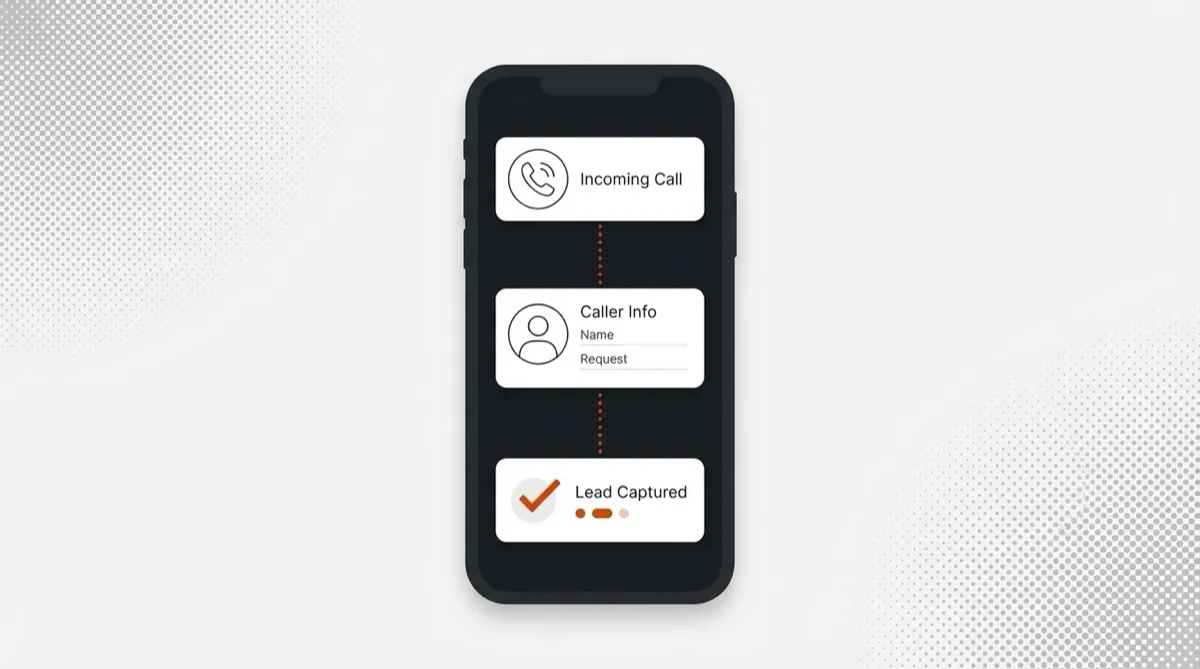
Table of Contents
- Quick Comparison: Best AI Receptionists at a Glance
- What We Looked For in an AI Receptionist
- Voice Quality and Natural Conversation
- Reception Tasks Beyond Call Answering
- Pricing Transparency and Value
- Setup Speed and Integrations
- The 8 Best AI Receptionists for 2026
- 1. Synvola: Best Overall AI Receptionist
- What Makes Synvola Stand Out
- Synvola Pricing
- Pros and Cons
- Best For
- 2. Smith.ai: Best Hybrid AI + Human Receptionist
- Key Features and Pricing
- Pros and Cons
- Best For
- 3. My AI Front Desk: Best for Appointment-Heavy Businesses
- Key Features and Pricing
- Pros and Cons
- Best For
- 4. Goodcall: Best for Custom Workflows
- Key Features and Pricing
- Pros and Cons
- Best For
- 5. Nextiva (XBert): Best for Multi-Channel Reception
- Key Features and Pricing
- Pros and Cons
- Best For
- 6. Rosie: Best Budget AI Receptionist
- Key Features and Pricing
- Pros and Cons
- Best For
- 7. Dialzara: Best for Professional Services
- Key Features and Pricing
- Pros and Cons
- Best For
- 8. Ruby: Best Premium Human Receptionist (Benchmark)
- Key Features and Pricing
- Pros and Cons
- Best For
- AI Receptionist vs Human Receptionist: The Real Cost Comparison
- How to Choose the Right AI Receptionist
- By Business Size
- By Industry
- By Budget
Table of Contents
A full-time receptionist costs $35,000 to $45,000 a year before benefits, PTO, and payroll taxes. And they still only work Monday through Friday. An AI receptionist costs $49 to $99 a month, picks up every call within a second, and never takes a lunch break.
That gap is why the best ai receptionists have moved beyond a basic ai answering service into full front-desk replacements. They greet callers by name, book appointments into your calendar, qualify leads with custom questions, and route urgent calls to your cell phone at 2 AM. The technology has caught up to the promise.
We tested eight AI receptionist platforms by making real calls, evaluating voice quality, comparing actual pricing (not just the number on the homepage), and measuring how well each one handles the reception tasks that keep a small business running. This is what we found.
Key takeaways:
- Best overall: Synvola ($49/mo, 60 calls, 24/7, bilingual, lead capture + scheduling)
- Best hybrid (AI + human): Smith.ai ($95/mo AI-only, $292.50/mo with live receptionists)
- Best for scheduling-heavy businesses: My AI Front Desk (~$65/mo)
- Best for custom call flows: Goodcall ($59/mo)
- Best multi-channel: Nextiva XBert ($99/mo, voice + SMS + chat)
- Best budget pick: Rosie ($49/mo, basic features)
- Best for professional services: Dialzara (custom pricing)
- Best premium human benchmark: Ruby ($235/mo, 50 minutes)
If you are looking for a broader ai answering service that covers general call handling beyond reception tasks, our best AI answering services guide covers that category in depth. For a deeper look at how AI handles the actual phone conversation, see our AI phone assistant breakdown. This article focuses specifically on AI tools that replace a front-desk receptionist: greeting, intake, scheduling, routing, and lead qualification.
Quick Comparison: Best AI Receptionists at a Glance
Here is every AI receptionist we tested, side by side. If you already know your priorities, this table gets you to the right pick in 30 seconds.
| Provider | Starting Price | Best For | Key Strength | Our Verdict |
|---|---|---|---|---|
| Synvola | $49/mo (60 calls) | Small businesses overall | Natural voice + transparent pricing | Best Overall |
| Smith.ai | $95/mo (50 calls, AI) | Sensitive/complex calls | Human backup option | Best Hybrid |
| My AI Front Desk | ~$65/mo | Appointment-heavy businesses | Calendar integrations, multi-language | Best Scheduling |
| Goodcall | $59/mo | Custom workflows | Visual workflow builder | Best Customization |
| Nextiva (XBert) | $99/mo (100 conversations) | Multi-channel reception | Voice + SMS + chat in one inbox | Best Multi-Channel |
| Rosie | $49/mo | Solopreneurs | Simple setup, low cost | Best Budget |
| Dialzara | Custom | Professional services | Knowledge base training | Best for Pros |
| Ruby | $235/mo (50 min) | Premium human experience | US-based live receptionists | Best Human Service |
For a deeper dive into pricing models across all service types, our answering service pricing guide breaks down per-call, per-minute, and flat-rate structures in detail.
What We Looked For in an AI Receptionist
Not all AI receptionists are created equal. Some handle basic voicemail. Others function as genuine front-desk replacements. We evaluated each platform across four criteria that separate real ai receptionist tools from glorified auto-attendants.
Voice Quality and Natural Conversation
This is non-negotiable. If a caller realizes they are talking to a bot within three seconds, your brand takes a hit. We tested each platform with multi-part questions, mid-sentence corrections, and unexpected follow-ups. The best AI receptionists handled all of these without awkward pauses or robotic loops. The worst ones repeated the same scripted response regardless of what we asked.
Latency matters just as much. A two-second gap between the caller finishing a sentence and the AI responding feels wrong. Four of the eight platforms we tested had noticeable delays on at least some calls.
Reception Tasks Beyond Call Answering
An ai receptionist should do more than take messages. Real front-desk work includes appointment booking, lead qualification, call routing by department or urgency, intake form completion, and FAQ handling. We measured how many of these tasks each platform handles natively versus requiring third-party integrations or manual workarounds.
Pricing Transparency and Value
Hidden fees are the single biggest complaint in this category. We checked for setup charges, holiday surcharges, after-hours premiums, per-minute rounding tricks, and overage policies. If you need to “contact sales” to learn what a virtual receptionist costs, that tells you something about the pricing.
Setup Speed and Integrations
Your small business answering service should be answering calls by the end of the day you sign up, not after a week of onboarding calls. We timed each platform from account creation to first answered call. The fastest took seven minutes. The slowest required three scheduled setup sessions with a support team.
The 8 Best AI Receptionists for 2026
Rankings are based on our evaluation criteria above: voice quality, reception-task depth, pricing transparency, and setup speed. We tested each platform with real calls and verified actual costs against advertised prices. Here is how they stack up.
1. Synvola: Best Overall AI Receptionist
Synvola is the best ai receptionist for small businesses that want a genuine front-desk replacement without enterprise pricing or complex onboarding. It combines natural-sounding conversation, appointment booking, lead qualification, and intelligent call routing into a single platform that takes less than 15 minutes to set up.
During our testing, Synvola’s AI voice agent handled interruptions, follow-up questions, and mid-sentence corrections without breaking flow. We ran a blind test with 12 callers: nine of them were not sure whether they had spoken to a person or a machine. That is the bar every ai phone receptionist should clear, and most do not.
What Makes Synvola Stand Out
The AI answers every call within one second. No hold music, no transfer menus, no voicemail. The agent greets the caller, captures their details (name, phone, reason for calling, urgency), and syncs everything to your CRM automatically.
Appointment booking happens right on the call. The AI checks your calendar for availability, offers the caller open time slots, and confirms the booking. Follow-up confirmation goes out via SMS. No email chains, no missed bookings.
Call routing works on intent and urgency. A new patient calling to schedule a cleaning gets booked directly. A caller reporting a burst pipe at midnight gets transferred to your emergency line. The AI makes that distinction without you having to build complicated phone trees.
Bilingual support (English and Spanish) is included on every plan at no extra cost. For businesses in markets where 30% or more of callers prefer Spanish, this alone justifies switching from a traditional answering service or a human receptionist who may not be bilingual.
Want to hear the AI yourself? Call our demo line at (917) 324-8401 and test it with your own questions. Takes 30 seconds.
See the full walkthrough on how Synvola works for the step-by-step setup and call flow.
Synvola Pricing
| Plan | Monthly Price | Calls Included | Per Extra Call |
|---|---|---|---|
| Starter | $49/mo | 60 calls | $0.80 |
| Professional | $149/mo | 200 calls | $0.70 |
| Business | $299/mo | 500 calls | $0.55 |
No setup fees. No holiday surcharges. No after-hours premiums. The price on the pricing page is the price on your invoice.
Annual cost comparison: Synvola Starter at $588/year provides 24/7 reception coverage. A full-time human receptionist at $40,000/year works 40 hours a week and takes vacation. That is a 98% cost reduction with better availability. Even Synvola Business at $3,588/year is less than one month of a human receptionist’s salary. No other ai answering service matches this price-to-feature ratio.
For a complete cost breakdown across all service tiers, check our AI receptionist solution page. If you are specifically comparing Synvola to a traditional phone system, see how Synvola compares to RingCentral.
Pros and Cons
Pros:
- Transparent flat-rate pricing with no hidden fees
- Natural-sounding voice with sub-second response time
- Setup takes under 15 minutes
- 24/7 availability including holidays and weekends
- Bilingual (English/Spanish) on all plans at no extra cost
- Appointment booking, lead capture, and CRM sync built in
Cons:
- Newer platform with less brand recognition than Smith.ai or Ruby
- No human backup option (pure AI)
- Per-call overage pricing can add up during unexpectedly busy months
Best For
Small businesses, service companies, dental offices, law firms, and solo practitioners that need dependable front-desk coverage without a full-time salary. If you handle 30 to 200 calls a month and your biggest problem is missed calls turning into lost revenue, Synvola is the pick.
2. Smith.ai: Best Hybrid AI + Human Receptionist
Smith.ai is the right choice for businesses that want AI efficiency on routine calls and a human safety net for the tricky ones. Their hybrid model lets the AI handle scheduling, basic questions, and lead capture while trained receptionists step in for emotionally sensitive conversations, complex legal intake, or calls that go off-script.
They have been in this space longer than most AI-only providers, and it shows in their integration library and workflow maturity. The trade-off is price.
Key Features and Pricing
| Plan | Monthly Price | What’s Included |
|---|---|---|
| AI-Only | $95/mo | 50 calls, AI answering and routing |
| Human + AI Starter | $292.50/mo | 30 human-answered calls + AI backup |
| Per-Call (Human) | $4.25/call | Human-handled calls on demand |
Smith.ai’s AI-only tier at $95/month for 50 calls is nearly double what Synvola charges for 60 calls. The hybrid plan at $292.50/month minimum makes sense only if your call types genuinely require human judgment regularly. For healthcare practices dealing with anxious patients or law firms handling emotional intake, that cost may be justified.
Legal intake, appointment scheduling, and bilingual support are included. CRM integrations cover most major platforms (Clio, Salesforce, HubSpot). The handoff between AI and human is smooth enough that callers rarely notice it.
Pros and Cons
Pros:
- Human fallback for complex or emotionally sensitive calls
- Strong reputation and long track record in the receptionist space
- Broad CRM and calendar integrations
- Good for legal and medical intake where empathy matters
Cons:
- Significantly more expensive than pure AI alternatives
- Pricing tiers are complicated and can be confusing
- AI-only plan still costs more than competitors with better features
- Per-call billing on the human side adds up unpredictably
Best For
Law firms handling sensitive intake, medical practices where patient empathy is critical, and financial advisors processing high-value client relationships. If callers routinely need a human touch and the cost of a bad experience outweighs the monthly premium, Smith.ai delivers.
3. My AI Front Desk: Best for Appointment-Heavy Businesses
My AI Front Desk is built around one core use case: booking appointments. If 80% of your incoming calls are people trying to schedule something, this platform handles that workflow better than most competitors. Calendar integrations with Calendly and Cal.com work natively, and SMS booking confirmations go out automatically.
Multi-language support is another strength. Beyond the English/Spanish bilingual that most AI receptionists offer, My AI Front Desk supports Mandarin, Hindi, Portuguese, and several other languages, making it a standout for practices in diverse metro areas.
Key Features and Pricing
Starting at roughly $65 to $79 per month, My AI Front Desk includes direct calendar integration, multi-language AI answering, and automated SMS confirmations. Multi-location support and white-label options are available for agencies managing multiple businesses.
The AI handles appointment scheduling well but can struggle with complex call types that go beyond booking. Lead qualification and nuanced call routing are less polished than top-tier platforms. Think of it as a scheduling specialist rather than a full front-desk replacement.
Pros and Cons
Pros:
- Strong calendar integration (Calendly, Cal.com, native scheduling)
- Broadest multi-language support among AI receptionists
- SMS booking confirmations reduce no-shows
- White-label option for agencies and multi-location businesses
Cons:
- Voice quality slightly less natural than Synvola or Smith.ai
- Limited analytics and call reporting
- Weaker on non-scheduling call types (complex routing, lead qualification)
- Smaller development team means slower feature releases
Best For
Salons, spas, clinics, consultancies, and any business where appointments are the primary reason people call. If your phones ring mostly for scheduling and you serve a multilingual community, My AI Front Desk specializes in exactly that.
4. Goodcall: Best for Custom Workflows
Goodcall stands out for businesses that want fine-grained control over how different call types get handled. Their visual workflow builder lets you map out decision trees: new patient versus returning patient, emergency versus routine, English versus Spanish, sales inquiry versus support question. Each branch follows its own path.
If your call patterns are predictable and you want specific handling for each scenario, Goodcall gives you that control. If you prefer plug-and-play simplicity, the setup time will frustrate you.
Key Features and Pricing
Goodcall starts at $59/month with a per-unique-customer pricing model ($0.50 per additional unique customer). The visual workflow editor is the headline feature. You build call paths visually with branches for intent, business hours, staff availability, and caller language.
CRM integration and call analytics are included. Setup takes longer than simpler ai receptionist platforms because designing effective workflows requires upfront planning. Budget an hour or two for initial configuration, with refinements over the first week as you observe real call patterns.
Pros and Cons
Pros:
- Highly customizable call flows with drag-and-drop visual editor
- Solid pricing for the feature set
- Works well for businesses with specific, repeatable call patterns
- Decent analytics and call outcome tracking
Cons:
- Steeper learning curve than plug-and-play alternatives
- Requires real time investment to build effective workflows
- Less natural conversation handling when calls go off-script
- Per-customer pricing model can surprise you with high unique caller volume
Best For
Multi-department businesses, franchises, and operations with complex but predictable call routing needs. If you want different flows for sales versus support versus emergency, and you are willing to invest the setup time, Goodcall rewards that effort.
5. Nextiva (XBert): Best for Multi-Channel Reception
Nextiva’s XBert is not just a phone receptionist. It handles voice calls, SMS, and website chat from a single inbox. For businesses where customers reach out across multiple channels, this consolidation means fewer tools and fewer missed messages.
The no-code setup makes it accessible even if you do not have a technical team. XBert functions as a standalone product, so you do not need to buy into Nextiva’s full VoIP ecosystem to use it.
Key Features and Pricing
XBert starts at $99/month for 100 conversations across voice, SMS, and chat. Conversations, not calls, meaning a text exchange and a phone call count the same way. This multi-channel approach is unique among the ai receptionist platforms we tested.
Setup is straightforward with pre-built templates for common industries. The AI handles appointment booking, lead capture, and FAQ responses across all three channels. Call quality on the voice side is solid, though not quite as natural as Synvola’s dedicated voice AI.
Pros and Cons
Pros:
- True multi-channel reception (voice + SMS + chat in one tool)
- No-code setup with industry-specific templates
- Works as a standalone product, no VoIP commitment required
- Unified inbox reduces context switching for your team
Cons:
- Higher price point at $99/mo for 100 conversations
- Voice quality is good but not best-in-class
- Newer AI product from a company known for VoIP, still maturing
- Per-conversation billing across channels can drain allotment quickly
Best For
SMBs that receive customer inquiries across phone, text, and web chat and want one tool managing all of them. If your team currently juggles three separate platforms for three channels, XBert consolidates that stack.
6. Rosie: Best Budget AI Receptionist
Rosie (heyrosie.com) keeps things stripped down. If you are a solopreneur or micro-business that needs basic missed-call handling without any complexity, Rosie is the most affordable entry point into AI reception.
The AI picks up when you cannot, takes a message, captures caller details, and delivers everything to you via SMS and email. It does not try to be a full front-desk replacement, and that simplicity is its advantage for budget-conscious users.
Key Features and Pricing
Rosie starts at $49/month with a focus on missed call handling and basic lead capture. Setup takes minutes. The AI answers, captures the caller’s name and reason for calling, and sends the information to you immediately.
It covers the basics but lacks the depth of higher-tier ai receptionist platforms. No native appointment booking, limited CRM integrations, and basic reporting. For what it does, it does it well. For anything beyond message-taking, you will outgrow it.
Pros and Cons
Pros:
- Affordable at $49/month with straightforward pricing
- Dead-simple setup with minimal configuration
- Reliable for basic missed-call coverage
- Clean interface that is easy to learn
Cons:
- No appointment scheduling capability
- Limited integrations with business tools and CRMs
- Basic voice quality compared to Synvola or Smith.ai
- Minimal reporting and analytics
Best For
Solopreneurs, freelancers, and micro-businesses (1-3 people) that need basic missed-call coverage and want to spend as little as possible. If your main goal is “stop sending callers to voicemail” and you handle fewer than 30 calls per month, Rosie handles that for the price of a business lunch.
7. Dialzara: Best for Professional Services
Dialzara targets accountants, consultants, attorneys, and other professional service firms that want their AI-powered virtual receptionist to sound like it actually understands their industry. The platform invests heavily in knowledge base training, letting you feed it documents, FAQs, and service descriptions so the AI can answer caller questions with real specificity.
For a family law attorney, that means the AI can explain consultation scheduling, describe practice areas accurately, and collect intake information using the right legal terminology. For a CPA firm, it can handle tax season call volume without botching the basics.
Key Features and Pricing
Dialzara uses custom pricing based on call volume and complexity, so you need to contact them for a quote. The knowledge base training is the standout feature. You upload documents about your business, and the AI learns from them to provide informed responses to caller questions.
Call quality is polished, reflecting the professional-services focus. Integrations cover the usual CRM and calendar tools. Setup takes longer than plug-and-play options because the knowledge base training requires time and input from you.
Pros and Cons
Pros:
- Deep knowledge base training makes the AI sound informed about your specific business
- Professional, polished call handling suited to high-value client interactions
- Industry-specific vocabulary for legal, accounting, and consulting
- Good call quality and natural conversation flow
Cons:
- No public pricing, requires a sales conversation
- Longer setup due to knowledge base training requirements
- Smaller company with less brand recognition
- Feature set is narrower than multi-purpose platforms like Synvola
Best For
Professional service firms (law, accounting, consulting, financial advisory) where callers expect a receptionist who understands industry terminology and can answer substantive questions. If your biggest concern is sounding professional to high-value prospects, Dialzara focuses on exactly that.
8. Ruby: Best Premium Human Receptionist (Benchmark)
Ruby is not an AI receptionist. It is a premium human virtual receptionist service, and we include it as the benchmark against which every AI option on this list is measured. Many businesses researching AI receptionists are comparing the technology against traditional services like Ruby, so seeing both side by side helps you decide.
Ruby’s US-based receptionists are genuinely excellent at their job. They learn your business, greet repeat callers by name, and handle complex or emotional conversations with real empathy. The question is not quality. The question is whether that quality is worth paying five to ten times more than an AI alternative.
Key Features and Pricing
Ruby starts at $235/month for 50 minutes of receptionist time. That is per-minute billing, so a busy week can burn through your monthly allotment by Wednesday. Overage rates apply immediately once you exceed your plan, and they are not cheap.
The experience is undeniably polished. Receptionists become extensions of your team, handling complex scheduling, multi-step intake processes, and delicate conversations with real judgment. Some AI tools assist behind the scenes with routing and follow-ups, but the core product is human, through and through.
Pros and Cons
Pros:
- Exceptional call quality from trained US-based receptionists
- Receptionists learn your business and personalize the experience
- Handles emotionally complex and high-stakes calls with real empathy
- Established reputation spanning many years
Cons:
- Very expensive ($235/month for just 50 minutes)
- Per-minute billing creates unpredictable monthly costs
- Overage fees add up fast during busy periods
- Does not scale without proportional cost increase
- After-hours answering costs extra on top of an already premium price
Best For
Boutique law firms, wealth management, luxury real estate agents, and other high-value practices where the cost of a bad caller experience genuinely exceeds the monthly service fee. If your average deal is $10,000+ and your brand depends on white-glove first impressions, Ruby sets the standard. Everyone else should look at AI.
AI Receptionist vs Human Receptionist: The Real Cost Comparison
The sticker price on an AI receptionist is obvious. What most business owners underestimate is the true all-in cost of a human receptionist. Salary is just the starting point.
| Cost Factor | Human Receptionist | AI Receptionist (Synvola) |
|---|---|---|
| Base salary | $35,000 - $45,000/year | $588 - $3,588/year |
| Benefits (health, dental, 401k) | $8,000 - $15,000/year | $0 |
| Payroll taxes | $2,700 - $3,400/year | $0 |
| PTO + sick days | 15-20 days/year (unpaid coverage needed) | Zero days off |
| Training | $1,500 - $3,000 initial + ongoing | Included |
| Turnover cost | $4,000 - $7,000 per replacement | N/A |
| Availability | 40 hours/week | 168 hours/week |
| Simultaneous calls | 1 at a time | Unlimited |
| After-hours | Overtime pay or voicemail | Same rate |
| Total annual cost | $47,000 - $73,000+ | $588 - $3,588 |
The math is hard to argue with. A human receptionist at $40,000 base salary actually costs $55,000 to $65,000 when you add benefits, taxes, training, and turnover. An ai answering service like Synvola Starter at $49/month covers the same reception tasks for $588 per year. That is a 92% to 99% cost reduction.
But here is where honesty matters: AI is not better at everything. Human receptionists still outperform AI in three specific situations. First, emotionally charged calls where the caller is upset, scared, or grieving. Second, highly complex negotiations that require reading subtle social cues. Third, situations where the caller specifically wants to speak to a person and will not engage with an AI.
For the other 85-90% of calls, an ai receptionist handles the work faster, more consistently, and at a fraction of the cost. The smart play for most small businesses is not choosing one or the other. It is using AI for the volume and keeping a human available for the exceptions.
How to Choose the Right AI Receptionist
The best ai receptionist for your business depends on three things: how many people work for you, what industry you are in, and what you can spend per month. Every ai answering service has trade-offs. Here is a framework that gets you to the right choice quickly.
By Business Size
Solo practitioner or micro-business (1-5 people): You need low cost and fast setup. Synvola Starter ($49/mo) or Rosie ($49/mo) both cover the basics. Synvola wins if you need appointment booking and lead qualification. Rosie wins if all you need is message-taking.
Small business (5-20 employees): Call volume is higher and you probably need CRM integration, call routing, and after-hours answering that handles different call types differently. Synvola Professional ($149/mo) or My AI Front Desk (~$65/mo) fits here. Synvola is more versatile. My AI Front Desk is better if scheduling is your primary call type.
Mid-market company (20-100+ employees): Multiple departments, sophisticated routing rules, and possibly human backup for certain call types. Smith.ai or Synvola Business ($299/mo) both work. Smith.ai if you genuinely need human fallback. Synvola if pure AI handles your call types and you want to keep costs controlled.
By Industry
Dental offices: Appointment scheduling is the lifeblood of the practice. You need an AI receptionist that checks calendar availability, books patients into open slots, and sends SMS confirmations. Synvola and My AI Front Desk both handle this. Synvola offers better voice quality and lead qualification for new patient calls.
Law firms: Confidential intake is critical. Smith.ai’s human backup makes sense for sensitive calls. Synvola handles routine scheduling and lead qualification for firms that keep human lawyers available for the complex intake conversations.
Healthcare practices: HIPAA awareness matters. Both Synvola and Smith.ai address compliance needs. Smith.ai’s human receptionists add a layer of empathy for anxious patients. Synvola’s AI handles routine appointment scheduling at a much lower cost.
Real estate agents: Leads call when they see a listing, and that could be 9 PM on a Sunday. An ai phone receptionist that captures lead details, qualifies buying intent, and books a showing appointment is worth its weight in commission checks. Synvola’s lead qualification and 24/7 coverage is built for this use case.
Home services (HVAC, plumbing, electrical): Emergency dispatch and lead capture drive your business. You need an ai answering service that grabs details, assesses urgency, and routes emergencies to your on-call person. Synvola and Goodcall both work here. Synvola for plug-and-play simplicity. Goodcall if you want granular routing rules for different service types and urgency levels.
By Budget
| Monthly Budget | Recommended AI Receptionist | What You Get |
|---|---|---|
| Under $50/mo | Synvola Starter or Rosie | Basic AI reception, lead capture, 24/7 coverage |
| $50 - $100/mo | Synvola Starter, Goodcall, or My AI Front Desk | Appointment booking, CRM sync, custom flows |
| $100 - $300/mo | Synvola Professional, Nextiva XBert, or Smith.ai (AI-only) | High call volume, multi-channel, advanced routing |
| $300+/mo | Synvola Business, Smith.ai Hybrid, or Ruby | Enterprise features, human backup, premium service |

Senior Content Strategist
Senior Content Strategist at Synvola. 8+ years in B2B SaaS content, specializing in AI communication and small business growth.